
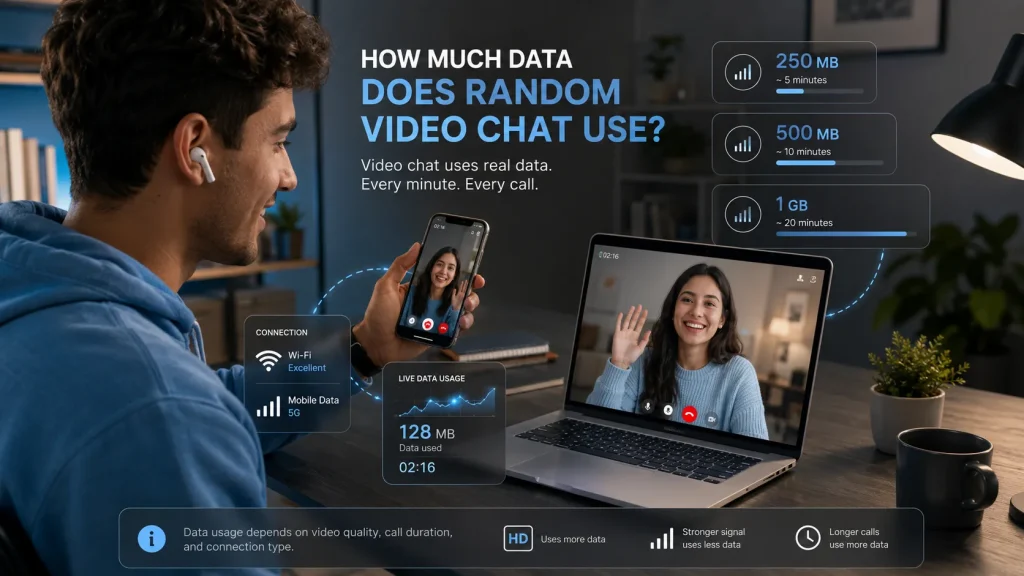
Random video chat can be a fun way to meet new people online, but one practical question often gets overlooked: how much data does random video chat use? If you are chatting on Wi-Fi, this may not matter much. However, if you are using mobile data, the difference between a short call and a long one can quickly add up in megabytes and gigabytes.
That is why it helps to understand how MB and GB work before spending too much time on a video-based platform. Once you know how data usage works, it becomes much easier to estimate how long you can chat without draining your bundle.
Why Video Chat Uses More Data Than Text Messaging
Text messages use very little data. A short message is only a tiny digital file, which means you can send many of them without noticing any major impact on your mobile plan.
Video chat is different. During a video conversation, your device continuously sends and receives both video and audio in real time. That requires much more data than a normal text exchange.
In simple terms:
- Text messages use very little data
- Voice calls use more data than text
- Video calls use more data than voice calls
This is why a few minutes of chatting over video can consume more data than a long session of ordinary messaging.
Understanding MB and GB
To understand video-chat data usage, you first need to understand the relationship between megabytes and gigabytes.
Here is the simple version:
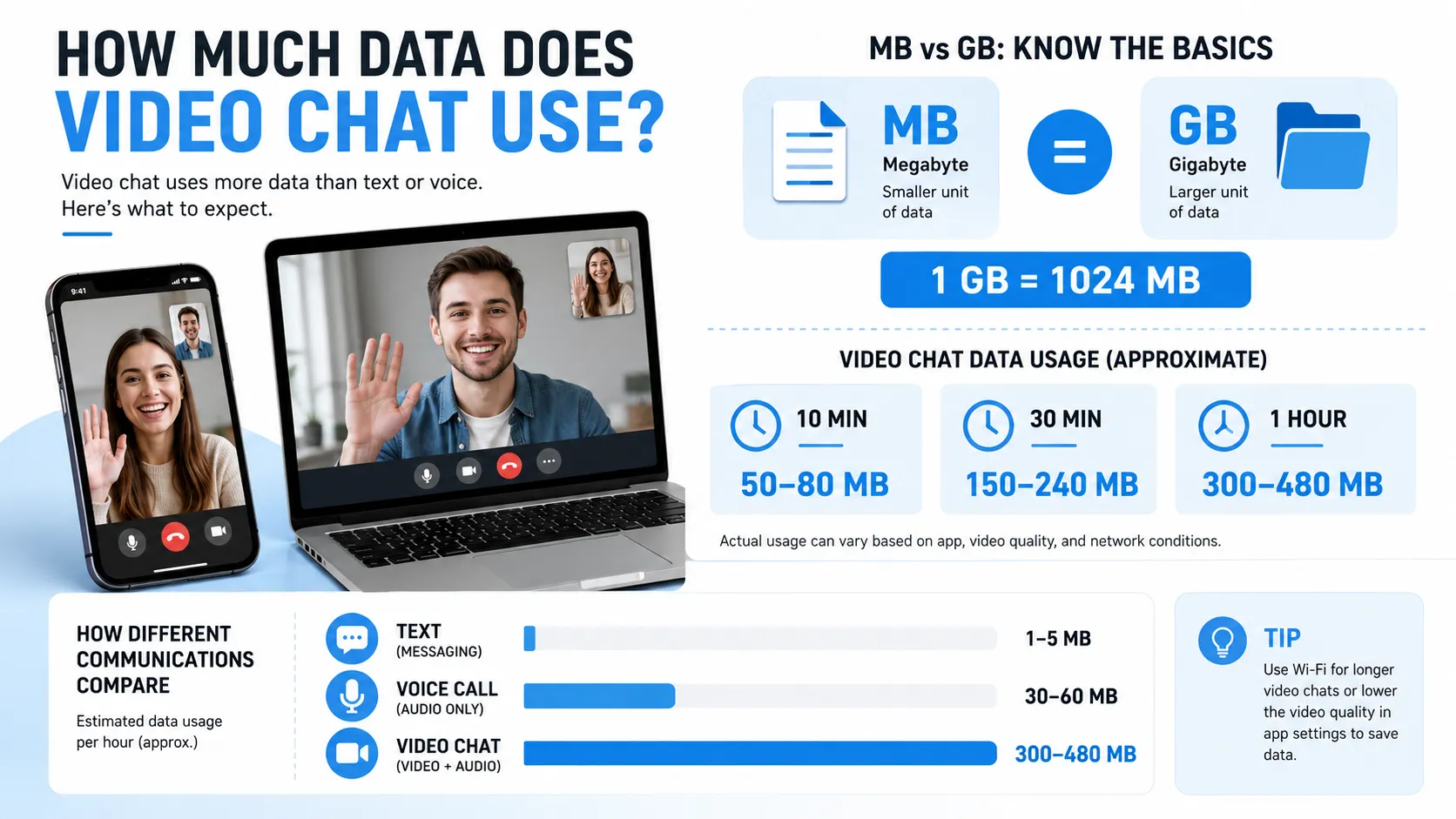
- 1 GB = 1,024 MB
- 500 MB = about 0.49 GB
- 2 GB = 2,048 MB
Some providers may round this differently and use 1 GB = 1,000 MB for simplicity, but for most practical conversion purposes, 1,024 MB is the standard technical reference.
This matters because many mobile users buy data in gigabytes, while app usage is often discussed in megabytes. If a platform uses 200 MB in one session, it helps to know how that fits into a 1 GB or 2 GB data bundle.
What Affects Data Usage During a Video Chat?
Not all video calls use the same amount of data. Several factors influence how much data is consumed during a session.
These include:
- Video quality or resolution
- Length of the conversation
- Internet connection strength
- Platform optimization
- Whether both camera and audio are active
Someone using random video chat on a mobile connection may notice that longer sessions use data much faster than expected, especially if the video quality is high.
For example, a short low-quality video call may use far less data than a high-definition conversation that lasts an hour or more.
Rough Estimates of Video Chat Data Usage
There is no single number that applies to every platform, but rough estimates can still be useful. The table below gives a general idea of how much data a video chat session may consume.
| Call Length | Low Quality | Standard Quality | High Quality |
|---|---|---|---|
| 10 minutes | 50–80 MB | 80–150 MB | 150–300 MB |
| 30 minutes | 150–240 MB | 240–450 MB | 450–900 MB |
| 1 hour | 300–480 MB | 480–900 MB | 900 MB–1.5 GB |
| 2 hours | 600–960 MB | 960 MB–1.8 GB | 1.8–3 GB |
These are only estimates, but they show how quickly video can consume mobile data.
A one-hour session at standard quality could easily use close to 500 MB or more. That means just two long chats may use a full 1 GB data bundle.
Converting MB to GB for Video Chat
Let’s make the numbers more practical.
If one video-chat session uses:
- 250 MB, that is about 0.24 GB
- 500 MB, that is about 0.49 GB
- 750 MB, that is about 0.73 GB
- 1,000 MB, that is about 0.98 GB
- 1,500 MB, that is about 1.46 GB
This kind of conversion is useful because many people think in gigabytes when buying mobile data. If you know your session used 800 MB, you can quickly see that you are getting close to 1 GB.
Does Video Chat Use More Data Than Audio Calls?
Yes, usually by a large margin.
Here is a simple comparison:
| Type of Communication | Estimated Data Usage |
|---|---|
| Text messaging | Very low |
| Voice call over internet | Low to moderate |
| Video call | Moderate to high |
An audio-only conversation may use far less data because there is no live visual stream being transmitted. That makes voice chat a better option when someone wants to save data.
Video chat, on the other hand, gives a more personal and interactive experience, but that extra engagement comes with higher data use.
How to Reduce Data Usage While Video Chatting
If you want to enjoy video chatting without burning through your data too quickly, a few simple habits can help.
Use Wi-Fi whenever possible
This is the easiest way to avoid putting pressure on your mobile-data bundle.
Lower video quality if the platform allows it
Higher quality may look better, but it uses more data.
Keep calls shorter
A 10-minute conversation uses far less data than a one-hour session.
Close background apps
Other apps may be using data at the same time without you noticing.
Monitor your data usage
Most smartphones allow you to track how much data each app consumes.
Switch to audio when needed
If the conversation does not need video, audio-only communication can help you save data.
Why This Matters for Mobile Users
Many users enjoy chatting online while away from home, which means they are not always connected to Wi-Fi. In those cases, data awareness becomes important.
A user with a 1 GB bundle may think they have plenty of data, but a few extended video sessions can reduce that bundle very quickly. Understanding conversions between MB and GB makes it easier to plan usage and avoid unpleasant surprises.
It also helps users decide whether they should use mobile data, wait for Wi-Fi, or shorten the duration of a conversation.
Final Thoughts: Random Video Chat
Video chat can be enjoyable, interactive and social, but it can also use a surprising amount of data. That is why understanding megabytes and gigabytes matters, especially for anyone using mobile data instead of Wi-Fi.
In simple terms, the longer the call and the higher the video quality, the more data you are likely to use. By learning how MB converts to GB, you can better estimate your usage, protect your bundle and enjoy online conversations more confidently.
If you are planning to spend time on video-based platforms, a basic understanding of data usage can go a long way.
 French
  English
  German
  Spanish
  Portuguese
  Italian